Showing posts with label buy camera. Show all posts

Tuesday, 23 July 2013

Panasonic Lumix DMC-LF1 Review


Over the years I’ve owned a number of digicams just like this one and each has been damned useful. Pop in the pocket. Pull it out. Shoot. And enjoy.
However, in the last 2-3 years they have become really fearsome beasts with tech specs that ring with power.
Not only can these more recent arrivals shoot big, big stills but some have enormous zoom ranges and all can shoot Full HD video.
So who needs a DSLR or a MILC?
This little number from Panasonic is a good example of shooting power but with a certain finesse.

This little number from Panasonic is a good example of shooting power but with a certain finesse.

Panasonic Lumix DMC-LF1 Features

The lens in particular screams quality: an f2 Leica DC Vario-Summicron 7.1x zoom that equates to a 35 SLR optic of 28-200mm range. The only downer is that you cannot enjoy the full f2 all the way through the zoom range; it soon shrinks to f5.9. But it does mean you can enjoy limited focus effects at the f2 aperture.

This shot was made at full wide on the zoom and at f2. Notice the limited depth of field.
However, it would be easy to miss the standout feature of this diminutive picture maker: beside the large 7.6cm LCD screen at the camera’s rear, there is also an electronic screen tucked away on the camera’s left top corner (as viewed from the rear). This will win many hearts!
The LF1 offers Wi-Fi connectivity so that users can connect the camera to their smart phone or tablet with one touch to share an image. You can also use a smart phone or tablet as a remote shutter with a monitor.
The CMOS captures a maximum image size of 4000×3000 pixels, enough to make a 34x25cm print.
Video can be shot in either AVCHD or MEG4 formats at Full HD 1920×1080 pixel quality. You can shoot stills mid video recording at a reduced size. If you shoot in AVCHD the maximum recording time is 29 minutes and 59 seconds.
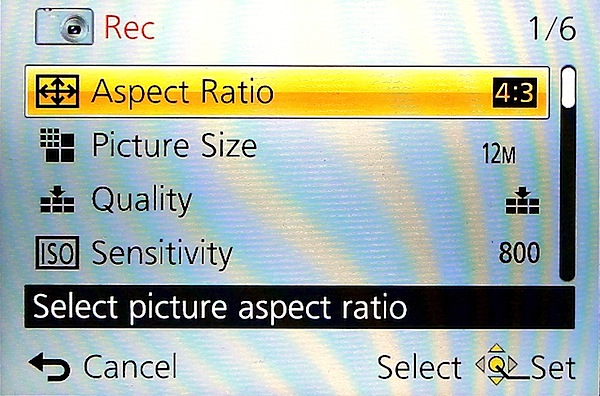
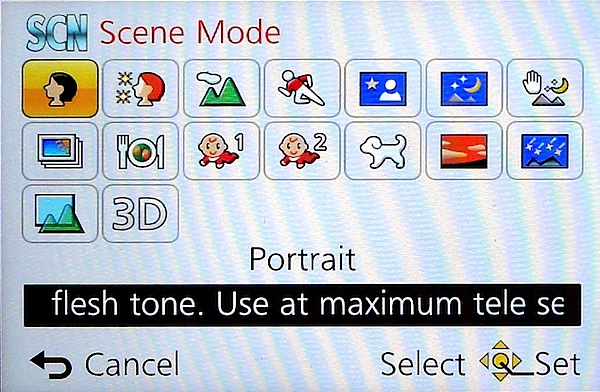
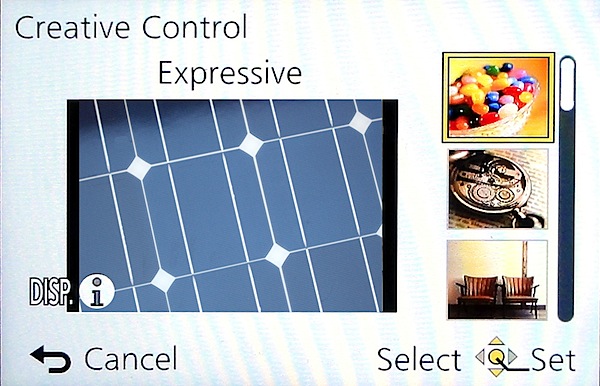
The control layout is very straightforward:
Top deck has the viewfinder mentioned earlier, with dioptric adjustment; then there’s the mode dial with positions for intelligent auto, PASM, two custom modes, panorama shooting, scene modes (16 in all) and creative control with 11 settings, including retro, old days, high and low key etc.

Panoramas can be shot laterally and vertically left to right, right to left, up or down and stitched in-camera. With the creative panorama function you can apply filter effects of retro, expressive, high or low key etc. The camera does not shoot horizontally panned panos with the camera held vertically, unlike some other cameras … notably Sony’s.
Next to the mode dial is the shutter button set within the lever for zooming; the power switch is at the extreme right end.
Rear: at the extreme left is the button to switch from rear screen to turret viewfinder; next is the WiFi button.
Beneath it is the video record button, shielded from accidental triggering by a protective slice of leatherette; adjacent is the Function and replay buttons.
Lower is the four way control dial with positions for macro shooting, exposure compensation, flash options and continuous/self timer. The menu button is central.
Lower still is a button for display options and one for trash.
Overall, a good layout but one that is badly let down by all the identifying text being too small, printed in off-white and almost impossible to read in dim light. Why not white text?
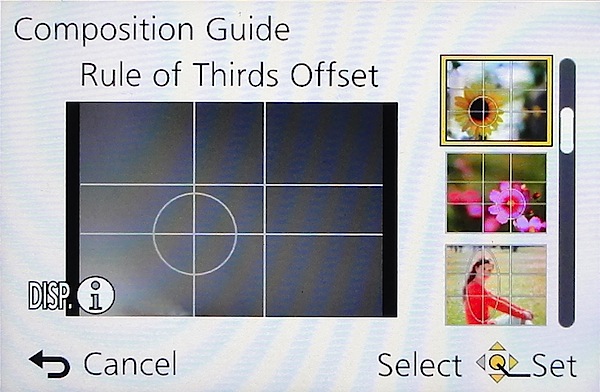
Tap the Function button and you gain access to a rather novel aid: a Composition Guide that makes it easy to shoot a photo with good composition, by choosing from a range of on screen examples: Rule of Thirds Offset, Diagonal Lines, Tunnel etc. A big help for those beset with poor visual acumen. It’s unlikely to prevent cut off heads or feet … but at least your shots will be visually balanced!

DistortionNo distortion evident at either the wide or tele ends of the zoom.

Start Up
In two seconds from startup you can shoot the first shot; follow-ons nearly as fast as you can hit the button.

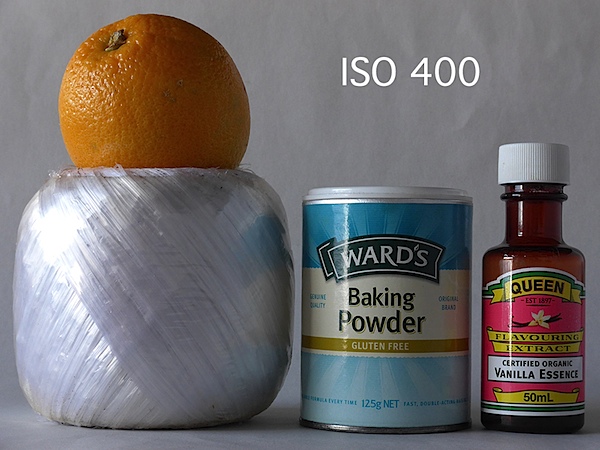
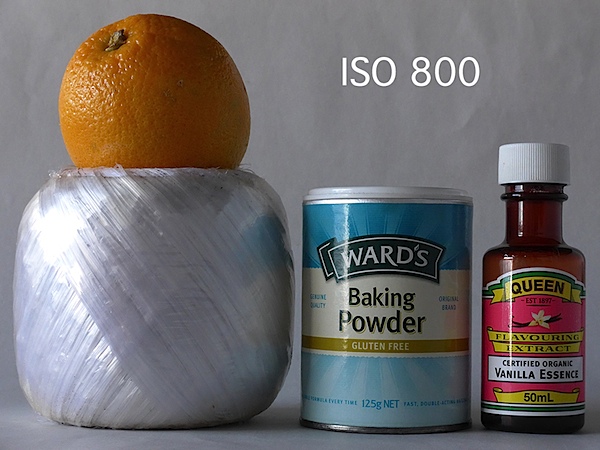
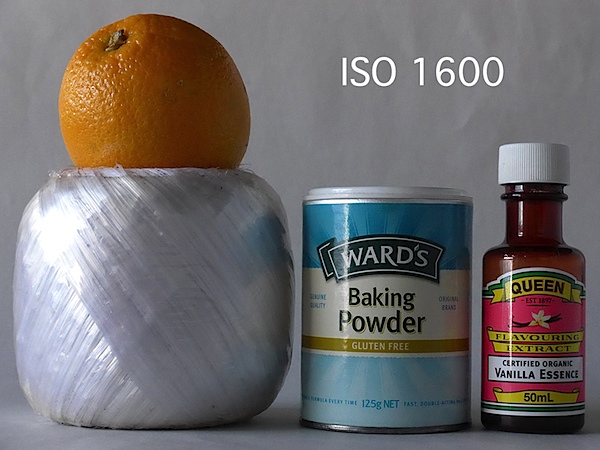
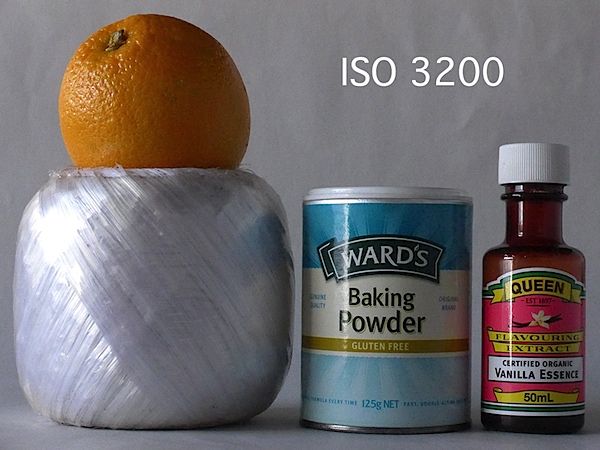
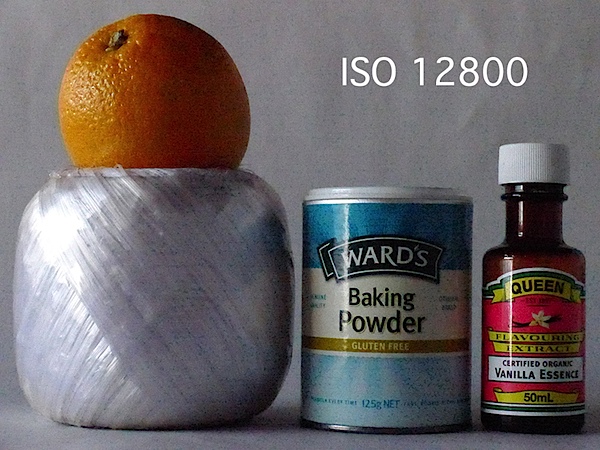
Panasonic Lumix DMC-LF1 ISO Tests
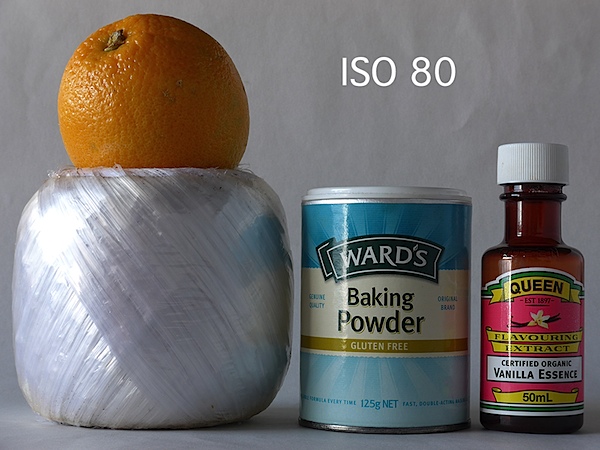


Only at ISO 3200 did noise become apparent. At ISO 6400 overall quality declined while noise increased and odd artefacts appeared. Useable? Maybe.
At ISO 12800 the shot was unusable.

Panasonic Lumix DMC-LF1 Review Verdict

Quality: average.
Why you’d buy it: small, sufficient zoom range for most purposes; shoot RAW files.
Why you wouldn’t: LCD screen is not vari-angle.
A great little number for easy, high quality photography. Available in silver or black.

Panasonic Lumix DMC-LF1 Specifications

Image Sensor: 12.1 million effective pixels.
Metering: Multi zone, centre-weighted, spot.
Lens: Leica DC Vario-Summicron f2.0-5.9/6.0-42.8mm (28-200mm as 35 SLR equivalent).
Exposure Modes: Auto, Program AE, shutter and aperture priority, manual.
Sensor Size: 15mm CMOS.
Shutter Speed (stills): 60 to 1/4000 second.
Continuous Shooting: 10 fps.
Memory: SD/SDHC/SDXC plus 87MB internal memory.
Image Sizes (pixels): Stills: 4000×3000 to 640×360.
Movies: 1920×1080, 1280×720, 1440×1080 and 640×480.
Viewfinder: 7.6cm LCD screen (920,000 pixels).
File Formats: JPEG, RAW, JPEG+RAW, MPO (3D), AVCHD, MPEG4.
Colour Space: sRGB, Adobe RGB.
ISO Sensitivity: Auto, 80 to 12800 (with boost).
Interface: USB 2.0, HDMI mini, WiFi.
Power: Rechargeable lithium ion battery, DC input.
Dimensions: 103x62x28 WHDmm.
Weight: 192 g (inc battery).
Price: Get a price on the Panasonic Lumix DMC-LF1 12 MP Digital Camera (White) or Panasonic Lumix DMC-LF (Black).

Monday, 15 July 2013

Camera Test: Nikon D7100

With higher ISOs, faster burst rates, and better resolution, this upgrade has something for everyone


If you’re serious about your photography, but just as serious about value, Nikon’s D7100 ($1,197, body only) has likely caught your eye. Its 24MP APS-C-sized CMOS sensor promises lots of resolution; dual card slots help you organize while shooting and afford plenty of storage; and the pop-up flash can wirelessly trigger off-camera units. Plus, the 6-frame-per-second burst is fast enough for sports, while the 51-point autofocus system can track subjects while you capture the action.

While the D7100 isn’t as much of a tank as the D300s, it’s no wimp. Its magnesium-alloy body should prove tough enough for most shooting conditions, and it has almost as much weather-sealing to ward off dust and moisture as Nikon’s pro bodies. Best of all is how well it fared out in the field and in the Popular Photography Test Lab.

In the Test Lab
Ample resolving power, adequate noise control, and accurate color reproduction earned the D7100 an Excellent rating in our tests from its lowest sensitivity setting of ISO 100 through ISO 1600. That’s one stop beyond the range of Canon’s 18MP EOS 60D ($899, body only) when we tested it in our February 2011 issue, but obviously that competitor is now ripe for replacement.

Barely outresolving Nikon’s D5200, the D7100 turned in 2820 lines per picture height at ISO 100, well past the 2500 line cutoff for an Excellent rating. In fact, not until ISO 6400 did the D7100 dip below that goal, at 2470 lines. At the top sensitivity of ISO 25,600 (Nikon calls it Hi2), resolution hit 2230 lines. At its best, the Canon 60D delivered 2600 lines and held most of it—2500 lines—at ISO 6400.

In our color accuracy test, the D7100 easily won top honors with an average Delta E of 7.0. The 60D, which scored 6.8, nearly tied it.

Noise? Superbly controlled at lower ISOs, with Extremely Low ratings at ISO 100, 200, and 400. It doesn’t rise to a Low rating until ISO 1600 and doesn’t reach Unacceptable until ISO 12,800. Not surprising, since Nikon’s DSLRs often cross our limit of acceptable noise precisely at the point the company labels sensitivity “Hi” instead of a numerical ISO.

Autofocus proved speedy, but not the fastest we’ve seen. It was a tad slower than the 60D at every light level in our lab test. (In our field testing, AF speed was never a problem.) But it offers a slight improvement over its predecessor, the D7000, focusing faster at EV 4, 2, 1, and 0. Plus, it managed to reliably achieve focus at EV –2, albeit with more variation in speed than we’d like to see; the D7000 couldn’t reliably focus in such dim light.

Overall, the D7100 performed as expected. It offers a two-stop improvement over the D7000 in usable sensitivity, and more than 400 lines more resolving power.

In the Field
As usual for Nikon, the D7100 has a nicely sculpted grip that feels very comfortable in the hand. Ample dedicated function buttons mean no digging through menus to change the most important shooting settings—in many cases, you won’t need to take your eye away from the viewfinder.

You’ll need both hands to operate the D7100 efficiently in some instances. For example, the AF/MF switch, on the front left of the body, has an embedded button that lets you switch other parameters, such as the AF mode and the number of active focus points, using the two command wheels on the right side of the body. Once you’re used to using both hands, it’s a fast way to prep for your next shot.

Similarly, pressing the ISO button on the left of the 3.2-inch 1,228,800-dot LCD lets you use the command wheels to change the ISO setting or choose between auto and manual ISO. This can be awkward: Your thumb goes between your face and the camera. Sure, space is tight on a DSLR, but the ISO button might be better placed elsewhere—Canon puts it near the shutter button on many of its DSLRs.

Friday, 12 July 2013

Top 10 Tips For Camera Buyers

Consider these factors when choosing your next camera

Digital technology hasn't only transformed the way we take photographs, but also created an explosion of camera options. Where a camera maker in the days of film would have a few models in their line, it's not uncommon today to find a dozen or more options from each manufacturer. 


This is partly because there are more variations of camera design today. The film shooter had basically two choices: SLR or compact "point-and-shoot." In the digital world, the compact, fixed-lens cameras have split into two varieties: the very simple, very small point-and-shoot models, and the more robust, high-performance models with pro features and expansive zooms. 


Interchangeable-lens models have also diverged, into three types: traditional SLRs, Sony's fixed-translucent-mirror cameras, and mirrorless models that completely omit the mirror box and optical viewfinder and dramatically cut size and weight in the process. 

We have more choices than ever, and that's a good thing—if you know what you want. Consider these 10 factors to help define your needs as a photographer, and your camera selection will be much easier. 


1. SIZE & WEIGHT. You've probably heard the aphorism, "The best camera is the one you have with you." It makes sense. If the size and weight of your gear is going to strongly influence whether or not you carry it often, then you ought to rule out larger cameras. Your best options will be mirrorless systems, smaller DSLRs or a premium compact camera with a generous zoom.


2. PRICE. Don't assume you have to buy the most expensive camera to get something that's perfect for you. Many of the more costly cameras are priced that way because they have features that only a handful of photographers will actually need or use. And don't forget to reserve part of your budget for lenses, lighting gear and accessories that play a major role in the quality of your images.


3. DURABILITY. This is one of those features that drive up a camera's price. Metal alloys are more rugged than plastics and composites, but also more expensive. Think about your favorite subjects and typical shooting environment. If you shoot mostly indoors, you probably don't need to worry about heavy-duty construction and weather-proofing. Also consider how you handle your gear. If you do a lot of travel photography, shoot in inclement weather or generally expect your camera to withstand being knocked around, then you might want to invest in a DSLR body that's built to take it.


4. SPEED. It's pretty incredible that most of the cameras in this buyer's guide can shoot four frames per second or faster—some much faster. Canon's top-of-the-line EOS-1D X can capture JPEGs at 14 frames per second or RAW at 12 fps. Sure, the Canon retails for almost $7,000, but the $650 Sony NEX-5R can do 10 fps with continuous autofocusing. So, speed is available to you, regardless of your budget. Most photographers don't really need that speed, though. Unless you shoot a lot of fast action sports, capturing in high-speed bursts means you'll have a lot more images to organize and store. It's nice to know you have the horsepower when you need it, but only a handful of subjects actually require it. The lesson here is don't dismiss a camera you otherwise prefer because of capture rates if you don't actually need the speed.


5. INTERCHANGEABLE LENSES. The ability to switch lenses is about more than just covering a focal range. (Many of the premium compact cameras featured in this buyer's guide have extensive zooms that cover wide to supertele ranges.) Interchangeable-lens cameras not only let you tailor your system to meet your focal-length needs, but also give you the option to choose lenses with other advantages, like a fast maximum aperture or high-end glass. Fixed-lens cameras are just that: fixed. If you're looking for a compact camera and minimal size is your ultimate concern, then a fixed-lens model may be your first choice; but for the ultimate in creative options, an interchangeable-lens model, whether DSLR or mirrorless, is the better choice.


6. SYSTEM & ACCESSORIES. Whichever camera you choose, accessories like flash, lens adapters, microphones, GPS and more can make a big difference in not only the quality of your images and video, but also the pleasure of taking photos. It's worth looking at the system accessories offered by the manufacturer for the cameras you're considering (and at third-party options compatible with your system, too). 


7. VIDEO. What started as a high-end feature on top DSLRs is now practically ubiquitous. Even entry-level cameras today can capture HD video, and many with sophisticated options like the ability to control frame rates for a cinematic look. One big difference to keep in mind, however, is sound. Great video imagery becomes nearly impossible to watch if the sound is distractingly bad. If video is an important feature to you, choose a camera that has a stereo input for auxiliary mics so you can choose the right microphone for your recording environment. (To learn more about microphone types and when to choose them, see our DSLR Microphone Guide: www.dpmag.com/mics.)


8. IMAGE QUALITY. You'd be hard-pressed to find a digital camera from any of the major makers today that doesn't deliver sharp, beautiful shots. Still, it's worth mentioning that size does matter. All else being equal, the larger the sensor and larger the pixels, the better the image quality, especially in low light. Larger pixels are able to collect more light for a better signal-to-noise ratio. A corollary to this is that more megapixels doesn't necessarily translate into better images. Take two APS-C-sized sensors, one 12 MP and the other 18 MP. To fit the extra 6 MP on the same-sized sensor, the pixels have to get smaller—something to consider.


9. VIEWFINDER. While the large monitors on the back of your camera are great for reviewing images, they're not always ideal when shooting. Many are actually quite difficult to use in bright outdoor conditions, making an eye-level viewfinder essential. If you shoot mostly indoors under controlled lighting, this may not be an issue, but most photographers are going to want the option of a viewfinder. All DSLRs have them, as do some mirrorless and fixed-lens compacts (though viewfinders are much rarer in the latter two categories). However, many mirrorless models offer an optional viewfinder that docks in the camera's hot-shoe. You're probably going to want one.


10. ERGONOMICS. I saved this for last, because while important, this is the most subjective of all of the camera characteristics we've considered. My hands are bigger or smaller than your hands, and that affects how comfortable a camera is to hold. The arrangement of buttons and control dials may fit me like a glove but seem misplaced to you. The only way you're going to know for sure whether you'll find using a camera to be a pleasure or a pain is to go handle it in person. And please be considerate of your local camera shop—if you use their staff time to help guide you to finding the right gear, at least give them a shot at making the sale rather than going straight to Google to find the cheapest price. You may save a few bucks online, but probably not enough to outweigh the benefit of having the knowledge and support of your local camera retailer.


BONUS TIP. Power! The Li-ion batteries used in most digital cameras are really good, providing at least a few hundred shots between charges. However, if you do a lot of traveling where access to recharging isn't always easy, consider one of the cameras that can accept common AA batteries, either as the primary power source or via an optional grip. We also recommend owning at least one spare battery for your camera system. 

Source : http://www.dpmag.com